Windows 11 26H2 Is Here: Should You Install It?
Microsoft has started rolling out Windows 11 version 26H2, also known as the Windows 11 2026 Update.
For most people, this should be a fairly uneventful upgrade. You probably won't notice a dramatic difference after installing it, but there is still a good reason to update: moving to 26H2 gives your PC a fresh support period and keeps it receiving Microsoft's security, reliability and compatibility updates.
If Windows Update offers 26H2 to your computer, my advice is generally to install it.
In a hurry?
- Still on 24H2? That version stops receiving updates on 13 October 2026, so it needs to move to 25H2 or 26H2.
- On 25H2? You're supported until October 2027. Take 26H2 when it's offered.
- 26H2 is a small update for PCs already on 24H2 or 25H2, usually one restart.
- There's no need to chase it. Microsoft is rolling it out in stages.
- Not sure what you're running? Press the Windows key and R, type winver and press Enter.
- What is Windows 11 26H2?
- Will I notice much difference?
- Why update if nothing much changes?
- Which version am I on, and does it matter?
- Do I need to rush to get 26H2?
- Is there anything to be aware of at the moment?
- What should I do before installing it?
- How to check which version you have
- The Marple Tech Help advice
What is Windows 11 26H2?
26H2 is Microsoft's latest annual update to Windows 11. It became generally available on 29 September 2026 and is now being rolled out gradually to compatible PCs.
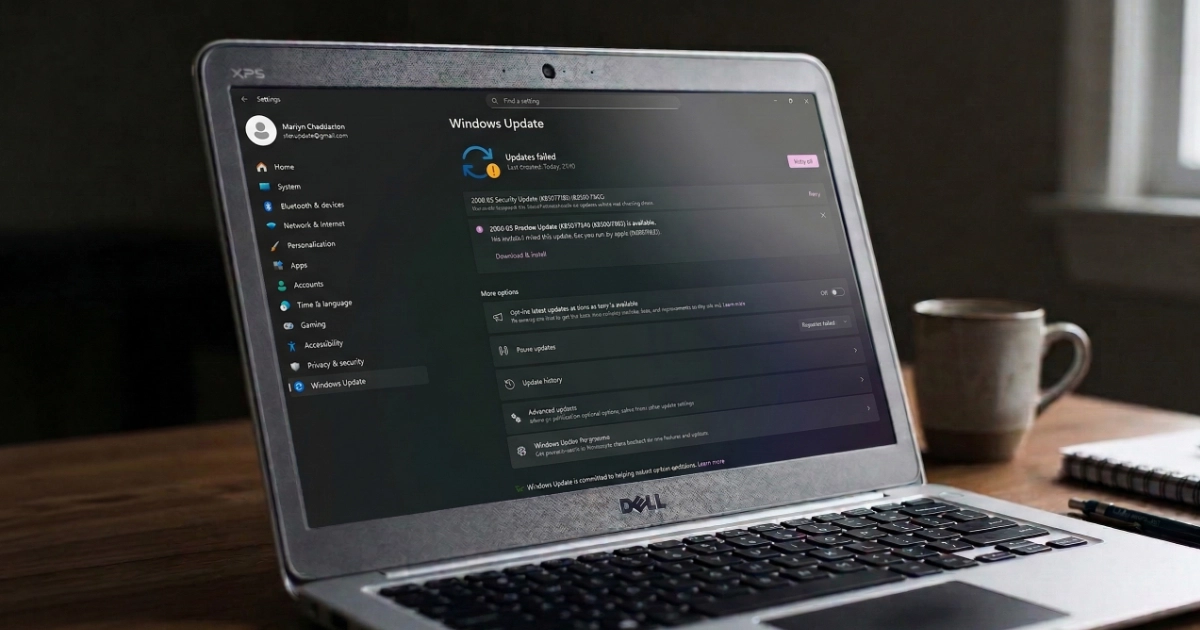
You may see it appear under Settings, then Windows Update.
Microsoft is using a phased rollout, so it will not appear on every compatible computer at the same time. PCs with Get the latest updates as soon as they're available switched on are among those being offered it first.
If it hasn't appeared on your PC yet, that doesn't usually indicate a problem.
Will I notice much difference, and is it a big update?
Probably not, and that is not a bad thing.
Windows 11 24H2, 25H2 and 26H2 share the same underlying servicing branch. For computers already running 24H2 or 25H2, Microsoft can therefore deliver 26H2 using a small enablement package rather than carrying out a traditional full Windows upgrade.
Much of the code needed for the new version has already arrived through normal monthly Windows updates. Microsoft says the result should be a relatively small download, quick installation and normally a single restart.
You should not expect a completely different desktop, a redesigned Start menu or a long list of obvious changes when the computer restarts. For most home users, 26H2 starts out very much like 25H2.
Computers running an older release than 24H2 do not get the same lightweight upgrade route and may require a more substantial Windows feature update.
Why should I update if nothing much changes?
The biggest reason is continued support.
Windows 11 versions do not receive security updates indefinitely. Home and Pro versions normally receive 24 months of support, after which Microsoft stops providing the regular security and quality updates that keep Windows protected and maintained.
Installing 26H2 starts a new support period, with Windows 11 Home and Pro supported until October 2028.
That is particularly important for anyone still running Windows 11 24H2.
The date that matters
Windows 11 24H2 Home and Pro reaches the end of updates on 13 October 2026. After that it no longer receives Microsoft's normal monthly security and quality updates.
Microsoft has already been moving unmanaged 24H2 Home and Pro computers onto 25H2 automatically as that deadline approaches. You can choose when to restart, or postpone the update.
25H2 remains supported until October 2027, so there is nothing wrong with a computer moving onto 25H2 rather than going immediately to 26H2. The important thing is to remain on a supported version of Windows.
Which version am I on, and does it matter?
This is the part worth two minutes of your time. The version number decides whether you need to do anything at all.
| Your version | Updates until | What to do |
|---|---|---|
| Windows 11 26H2 | October 2028 | Nothing. You're on the latest annual release. |
| Windows 11 25H2 | October 2027 | Nothing urgent. Take 26H2 when Windows Update offers it. |
| Windows 11 24H2 | 13 October 2026 | Move to 25H2 or 26H2 now. Don't put this one off. |
| Windows 11 23H2 or older | Already ended | Needs looking at. A bigger feature update is required. |
| Windows 10 | Separate situation | See my Windows 10 and 11 decision guide. |
Do I need to rush to get 26H2?
No.
Microsoft deliberately rolls major Windows releases out gradually. If it discovers that a particular driver, device or piece of software has a compatibility problem, it can temporarily stop the update being offered to affected PCs using what Microsoft calls a safeguard hold.
There is therefore little benefit for an ordinary home user in manually downloading an ISO or using installation tools simply because another computer has already received 26H2.
A computer that hasn't been offered the update yet may simply be later in Microsoft's rollout.
Is there anything to be aware of at the moment?
There is one current Windows 11 problem worth knowing about if you use a USB headset, DAC, sound card or other USB audio equipment.
Some USB Audio Class 1.0 devices have experienced problems including no sound, unresponsive volume controls or a Code 10 error in Device Manager.
This isn't a reason to avoid 26H2
Microsoft lists the problem under 26H2, but it didn't start there. It came from the security update of 8 September 2026 and affects 25H2 as well, so staying on an older version is not a way of avoiding it.
Microsoft released a further update on 14 September which fixed the problems affecting devices using 8-channel or 3D audio. Other symptoms remain under investigation, and some affected devices may work temporarily when switched to standard two-channel stereo instead.
For most home users, there is currently nothing in Microsoft's 26H2 known-issues list that would make me recommend avoiding the update generally.
What should I do before installing it?
You shouldn't need to do anything elaborate, but the usual precautions before a significant Windows update are sensible:
- Make sure important documents, photographs and other files are backed up.
- If you use OneDrive, Google Drive, Dropbox or another cloud service, check that important files have actually finished syncing.
- If it's a laptop, plug it into the charger.
- Allow any existing Windows updates to finish first.
There is normally no need to uninstall programs, disable antivirus software or make other major changes beforehand.
If Windows Update itself is the thing misbehaving, my guide to stuck Windows updates covers what to try first.
How can I check which version of Windows I have?
The quickest way is:
- Press the Windows key and R together.
- Type winver.
- Press Enter.
A small window will show the version of Windows currently installed.
You can also go to Settings, then System, then About, and look under Windows specifications.
Then compare what you see with the table above.
The Marple Tech Help advice
Windows 11 26H2 looks more significant from its name than it is likely to feel in everyday use.
For PCs already running 24H2 or 25H2, it is designed to be a relatively quick update rather than a major rebuild of Windows. You may notice very little afterwards, but installing it moves your computer onto a new support cycle and keeps it receiving future security and reliability updates.
The more pressing issue is for anyone still running Windows 11 24H2, because Home and Pro support ends on 13 October 2026. Those PCs should now be moving onto either 25H2 or 26H2 rather than remaining on 24H2.
If your computer is still on Windows 10, that is a different decision, and I have covered it separately in should you force Windows 11 onto an older PC? and how to keep getting Windows 10 security updates.
Version and support dates checked against Microsoft's own release information on 1 October 2026.
Having trouble with Windows Update?
If you aren't sure which version of Windows your computer is running, Windows Update repeatedly fails, or your PC seems stuck on an older unsupported version, I can check what is preventing the update and get Windows back onto a properly supported version.
Most of these are small jobs. A Quick Fix session is £49, and if it turns out to be something more involved we'll talk about the right service before any work starts.
Local, in person, and no jargon. If you just want to know whether your PC is due the update, ask and I'll tell you.
I’m based in Marple and cover Stockport, SK6 and the surrounding area.