Video Doorbells and Home CCTV: What Can You Legally Record?
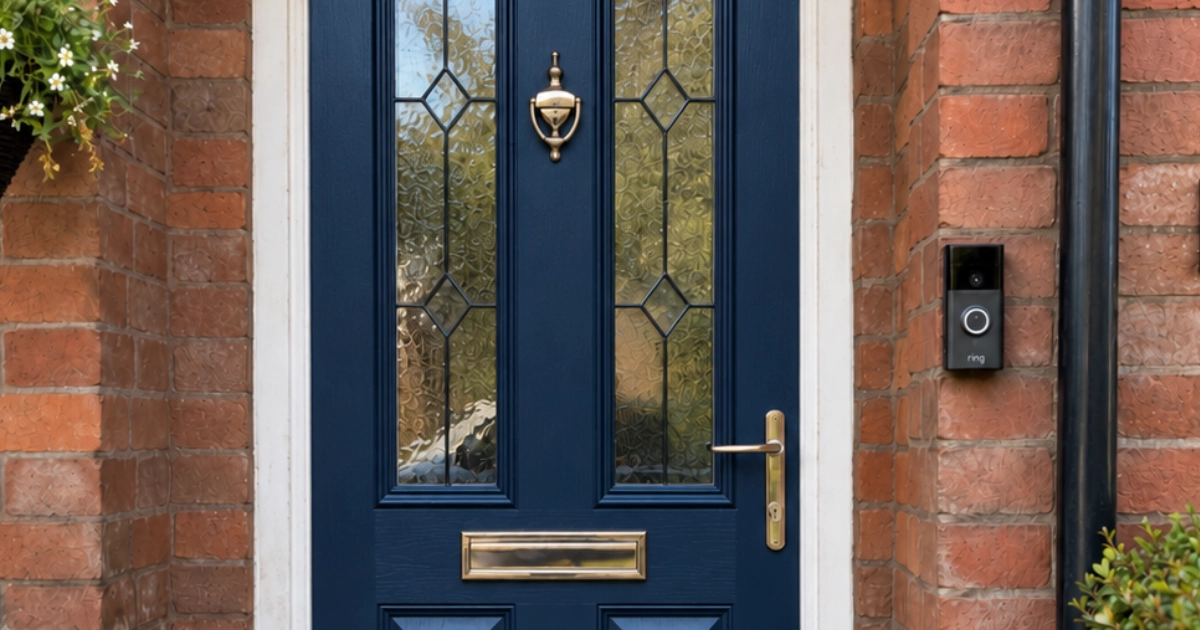
Your Ring doorbell might capture the pavement, your neighbour's driveway or even conversations happening nearby. Does that matter? And what can you do if you're the one being recorded?
Video doorbells and home CCTV cameras have become a familiar sight around Marple. From Ring and Blink to Tapo and Eufy, they're increasingly affordable, relatively straightforward to install and can offer real peace of mind.
Perhaps you want to see who's at the door while you're out, keep an eye on deliveries or protect your driveway overnight.
But there's a side to home CCTV that often gets overlooked. Modern cameras can see and hear much more than you might expect, and once they're recording beyond your property boundary, there are legal responsibilities to consider.
There was even a court case involving a Ring doorbell that prompted headlines about homeowners facing £100,000 fines.
So what's actually allowed, what's sensible, and what should you check before installing a camera?
In a hurry?
- Recording beyond your boundary? Data protection rules apply, but that does not automatically make your camera unlawful.
- Check the microphone. Audio can capture much more than the picture suggests.
- Use privacy zones. Motion detection zones do not necessarily keep neighbouring property out of recordings.
- Concerned about a neighbour's camera? Ask what it actually records and whether the view or settings can be adjusted.
Can my doorbell record the pavement or my neighbour's driveway?
Yes, but it brings responsibilities.
The Information Commissioner's Office (ICO), which regulates data protection in the UK, draws an important distinction between cameras recording your own property and those capturing areas beyond it.
If your camera only records within the boundaries of your private home and garden, its use will generally fall within what's known as the domestic purposes exemption.
But if it captures identifiable people outside those boundaries, whether on a public pavement, shared driveway or neighbouring property, data protection law applies.
That doesn't mean your camera is illegal.
For example, a video doorbell pointing towards the street may inevitably record people walking along the pavement. You might have a perfectly reasonable security interest in recording anyone approaching your front door.
The ICO acknowledges that protecting your home can be a legitimate reason for recording a small area beyond your boundary.
What matters is whether the recording is necessary and proportionate.
A camera that incidentally captures somebody walking past your gate is quite different from one deliberately positioned to monitor your neighbour's garden.
What does the law expect you to do?
If your camera records beyond your property boundary, you should:
- Have a clear reason for using it, such as protecting your home.
- Avoid recording more than you genuinely need.
- Let people know CCTV is operating, usually through visible signage.
- Consider telling neighbours what the camera covers.
- Keep footage secure and limit who can access it.
- Delete recordings when they're no longer needed.
- Respond appropriately to requests from people who appear in your recordings.
You don't normally need your neighbour's consent, but you cannot simply disregard their privacy because the camera happens to be attached to your house.
You can read the ICO's home CCTV guidance for the full explanation.
What about recording conversations?
This is probably the most overlooked aspect of home security cameras.
Many video doorbells and outdoor cameras have built-in microphones, and some are surprisingly sensitive.
You might expect your doorbell to record a conversation with a delivery driver standing immediately outside your front door. But what if it also picks up your neighbours chatting in their garden?
Audio recording can be much more intrusive than video, particularly where private conversations are concerned.
If your camera records beyond your boundary, you should seriously question whether you need to record sound at all.
Video alone may be perfectly adequate for identifying somebody approaching your property.
It's worth opening your camera's app and checking whether audio recording can be disabled independently of the other features. The options differ between manufacturers and models.
The importance of that distinction became clear in a much-publicised court case.
The Ring doorbell court case: was somebody really fined £100,000?
In 2021, a case called Fairhurst v Woodard attracted considerable attention.
It involved a dispute between neighbours in Oxfordshire. Mr Woodard had installed several security cameras, including a Ring doorbell and other cameras around his property.
His neighbour, Dr Fairhurst, became concerned about the extent to which the cameras captured her movements and conversations.
The disagreement escalated into legal proceedings, and the court found in Dr Fairhurst's favour on claims involving harassment and breaches of data protection law.
Some headlines suggested the case meant anyone with a Ring doorbell could face a £100,000 penalty.
That's not what the judgment said.
The £100,000 figure was speculation about possible compensation, not a fine imposed by the judge. The judgment left the amount of compensation and related orders to be considered later.
More importantly, the judge didn't decide that video doorbells were inherently unlawful.
In fact, she accepted that the Ring doorbell's video recording served a legitimate security purpose, even though it incidentally captured the neighbour walking past on the pavement.
It was other aspects of the camera system, and the homeowner's conduct, that caused serious problems.
One camera didn't even cover his own property
Among the equipment was a camera referred to in the judgment as the Driveway Camera.
It was mounted high on the wall of a neighbouring house and captured Dr Fairhurst's parking spaces, parts of her garden, her side gate and areas of the shared driveway.
The judge found that none of the area covered by this camera included Mr Woodard's own property.
That's quite a distinction from a doorbell incidentally recording someone passing by.
The court considered that his property could have been protected with a less intrusive camera arrangement.
The microphones could pick up sound from remarkable distances
The court also considered tests of the cameras' audio capabilities.
A solicitor who gave evidence had conducted informal experiments with similar Ring equipment. He found that speech was clearly audible at 40 feet from a Ring Spotlight Cam, with reliable capture extending to approximately 53 feet.
His Ring doorbell test suggested reliable audio capture at approximately 68 feet.
That's over 20 metres away.
The judge acknowledged the limitations of these experiments. They weren't laboratory tests carried out by an audio expert, and actual performance would vary with the surroundings.
Nevertheless, she regarded them as the best available evidence.
Those figures are not legal distance limits. They illustrate just how far a domestic camera's microphone might reach.
At the time of the events in the case, the relevant devices did not allow audio recording to be disabled. Ring introduced that option in a 2020 firmware update.
It's a useful reminder to check what your own equipment is actually recording rather than assuming the default settings are appropriate.
The homeowner's behaviour mattered too
The case wasn't just about technology.
Mr Woodard had misled his neighbour about what certain cameras could see and whether they were operating. The judge considered this relevant to the breaches of data protection law.
He had also shared images of Dr Fairhurst with other neighbours, describing her movements as suspicious. The judge said this demonstrated that her concerns about how the recordings might be misused were well-founded.
The harassment findings rested on a wider pattern of behaviour, including threatening phone calls, misleading statements about the cameras and threats to install further concealed surveillance.
The judge found that the harassment and data protection claims succeeded, although a separate nuisance claim failed.
This was a County Court judgment, so it didn't create a binding precedent that makes every similar camera installation unlawful.
Having previously worked as a solicitor, I'm always wary of headlines that turn a detailed court judgment into a sweeping warning.
The lesson from this case isn't that Ring doorbells are illegal. It's that the purpose, positioning and use of cameras, along with the homeowner's behaviour, can make an enormous difference.
The original Fairhurst v Woodard judgment is available here (PDF).
Should you share CCTV footage on Facebook?
Imagine your camera records somebody behaving suspiciously outside your house.
It's tempting to upload the clip to a local Facebook group with a message asking whether anybody recognises them.
But it's worth being careful.
The government's guidance on domestic CCTV says recordings should only be used for their intended purpose, such as protecting your property, and specifically warns against sharing them on social media.
In Fairhurst v Woodard, the judge noted that the homeowner had shared images of his neighbour with others, describing her movements as suspicious. It was an example of how footage collected for security purposes could end up being used quite differently.
That doesn't mean you can't use footage as evidence of a crime.
If your camera captures a theft, attempted break-in or another potentially criminal incident, preserve the original recording and consider providing it to the police.
There's an important difference between giving evidence to the police and publicly identifying or accusing somebody on Facebook.
It's worth remembering that footage rarely tells the whole story, and someone looking suspicious doesn't necessarily mean they've done anything wrong.
My neighbour's camera points at my house. What can I do?
Perhaps somebody has installed a camera overlooking your driveway, or their new doorbell seems to capture everyone coming and going from your home.
It's understandable to feel uncomfortable about that.
But before assuming you're being watched, bear in mind that where a camera points and what it actually records aren't necessarily the same thing.
Many cameras have wide-angle lenses, but they may also have privacy settings that block parts of the recorded image.
The ICO recommends starting with a conversation where possible.
You could ask your neighbour:
- What area does the camera actually record?
- Does it record sound?
- Are privacy zones being used?
- Would they be willing to adjust its position or settings?
They may not realise that their camera appears to overlook your property, and a small adjustment could resolve the concern.
If a conversation doesn't help, you can put your concerns in writing. The ICO provides a template letter explaining the relevant rules and allowing you to ask specific questions about the recording.
Can I ask for footage of myself?
Where data protection law applies, you have rights concerning recordings that contain your personal information.
These can include asking for a copy of footage in which you appear, objecting to the recording or requesting deletion.
A request for footage containing your personal data is called a subject access request.
The camera owner would normally need to respond within one calendar month, although that doesn't necessarily mean every request must be granted in full. Other people's privacy and the particular circumstances may affect what can be provided.
Can the ICO make someone remove their camera?
This is an important limitation.
You can complain to the ICO if you believe a camera owner is breaching data protection law.
However, the ICO explains that it generally cannot or will not force someone to remove or reposition domestic CCTV, retrieve recordings on your behalf or take court proceedings for you.
Where a dispute continues, mediation may be more productive than immediately escalating matters.
If CCTV is being used as part of a wider pattern of harassment or threatening behaviour, that may be a matter for the police. Simply having a camera pointed towards somebody's property doesn't automatically establish harassment.
How can I make my own cameras more considerate?
Most problems can be avoided with a little thought about placement and settings.
Check the actual camera view. Don't assume you know what the camera captures simply from looking at where it's mounted. Open the live view and examine the edges of the picture.
Use privacy zones where available. These can block out parts of the image, such as a neighbouring window or garden. Check whether the masking applies to saved recordings as well as the live view.
Don't confuse privacy zones with motion detection zones. A motion zone may stop your phone alerting you whenever someone walks past, but that doesn't necessarily stop the pavement appearing in recorded footage.
Check the microphone. If recording conversations isn't necessary, look at whether audio recording can be switched off.
Talk to your neighbours. Particularly if your camera inevitably captures a shared area, explaining what it records and why can prevent misunderstandings. Be accurate about what the camera can see and do.
Review your recordings occasionally. Make sure the camera is still pointing where intended and hasn't been moved or adjusted.
These checks may only take a few minutes, but they can make a real difference.
Where do the recordings actually go?
It's easy to buy a camera without thinking about what happens to the video afterwards.
Some systems store footage online with the manufacturer, commonly called cloud storage. Others save it locally to a memory card, recording hub or network recorder.
There are advantages to both.
Cloud storage can mean recordings remain available if somebody steals or damages the camera. But depending on the manufacturer, you may need an ongoing subscription to review past recordings or use certain features.
Local storage may avoid subscription fees, but you'll need to consider what happens if the camera or storage device is stolen, damaged or fails.
Some locally recording cameras still depend on the manufacturer's internet services for remote access or notifications.
Before buying, I'd check three things:
- Can I review recordings without paying a subscription?
- How long are recordings stored, and can I control that?
- What happens if the internet connection goes down?
And don't assume that because a camera has been installed, it's recording successfully. Check that you can actually find and play back saved footage.
If your cameras record beyond your property boundary, recordings shouldn't be kept longer than necessary for their purpose. There's no universal rule requiring every household to delete footage after exactly 30 days.
Are home security cameras safe from hackers?
Like other smart devices, cameras need sensible account security.
Use a unique password for your camera account, enable two-factor authentication where available, install updates and periodically check who has access.
Some routers also allow you to put smart devices on a separate guest Wi-Fi network, keeping them apart from your computers and other devices. This can provide an extra layer of security, although it isn't suitable for every camera system, particularly those that need to communicate with a local recording hub.
I've covered account security in more detail in my guides to two-factor authentication and passkeys.
There's no need to become paranoid about every internet-connected camera. But a device that can show what's happening around your home deserves at least as much attention as your other important online accounts.
What if my camera keeps disconnecting from Wi-Fi?
A camera that works perfectly indoors can struggle once it's installed outside. Thick walls, distance from the router and poor Wi-Fi coverage can all cause problems.
I recently helped a client in High Lane who wanted to use a wireless camera inside a bird box in their garden. They already had a mesh Wi-Fi system, but the signal wasn't quite strong enough to maintain a reliable connection to the camera.
We moved one of the existing mesh nodes closer to the upstairs window nearest the bird box, which made the connection much more reliable.
No new equipment needed, just a better position for what was already there.
Whether you're watching birds in the garden or keeping an eye on your driveway, the same principles apply.
Some cameras also only support 2.4 GHz Wi-Fi, which can cause connection problems during setup. I've covered this in my guide to smart devices that won't connect to Wi-Fi.
And if you're struggling with unreliable coverage around your home, a Wi-Fi survey can help identify where the signal is falling short.
A few things to check before buying
If you're thinking about installing a video doorbell or outdoor CCTV camera, don't choose purely on resolution or price.
Consider whether you need a wired or battery-powered model, how well it performs after dark, where it stores recordings and whether there's a subscription.
I'd also look closely at the privacy controls, particularly the ability to mask parts of the picture or disable audio recording.
And consider whether a camera is really the answer. A good outdoor light, secure lock or motion sensor might solve the problem without recording anything.
The best camera isn't necessarily the one with the most features. It's the one that reliably protects the area you actually need to monitor.
Security shouldn't come at the expense of your neighbours' privacy
Home security cameras can be genuinely useful. They offer reassurance, help protect property and let you know what's happening when you're not there.
But especially in places like Marple, where homes, driveways, gardens and pavements can be close together, it's worth thinking about what else your camera might be capturing.
You don't have to abandon your security to respect somebody else's privacy.
Often, it's simply a matter of choosing the right position, adjusting a few settings and being open with neighbours about what's being recorded.
Protecting your own property is perfectly reasonable. Unnecessarily monitoring somebody else's isn't.
Further reading
- Information Commissioner's Office: Home CCTV systems: Official guidance covering camera owners, neighbours' rights and complaints.
- GOV.UK: Guidance on the use of domestic CCTV: Practical advice on installing and operating cameras responsibly.
- Fairhurst v Woodard: Original judgment (PDF): The judgment behind the widely reported Ring doorbell story.
Legal guidance last checked: 12 October 2026.
The ICO has flagged its domestic CCTV guidance as under review following changes introduced by the Data (Use and Access) Act. This article explains the general UK data protection position and is not legal advice about an individual dispute.
Need help with your home cameras or Wi-Fi?
If you're unsure what your camera is actually recording, need help setting up privacy zones or have a security camera that keeps dropping off your Wi-Fi, I can help.
I provide straightforward, independent technology support, including checking connected devices, resolving Wi-Fi problems and helping you understand the settings rather than simply selling you more equipment.
I’m based in Marple and cover Stockport, SK6 and the surrounding area.