What to do with someone's phone, computer and online accounts after they've died

When someone dies, what should happen to their phone, computer, photographs, emails and online accounts? A few well-intentioned decisions can make recovering important information much harder.
Imagine a family sorting through a relative's affairs. They cancel the mobile contract to stop the bills, close an old email account and put the laptop aside to deal with later.
A few weeks afterwards, they discover that years of family photographs are stored online. But the account needs a security code sent to the mobile number that's already been disconnected.
It's an easily overlooked problem, and just one of several things that can make dealing with someone's digital belongings surprisingly difficult.
If you're dealing with a bereavement, there's no need to sort everything out immediately. But there are a few things worth knowing before you start cancelling, resetting or deleting anything.
1. Don't rush to cancel their mobile phone number
Many online accounts use a mobile number to send security codes, particularly when someone signs in on a new device or needs to recover an account.
This is called two-factor authentication, or 2FA.
If the mobile number has been disconnected, those codes may no longer arrive. It can make recovering access to important accounts considerably harder.
Before arranging for a number to be disconnected:
- Identify which important services might be associated with it.
- Check whether the mobile phone contains photographs or other information that needs preserving.
- Ask the mobile provider's bereavement team about options for temporarily keeping the number active or transferring it appropriately.
- Remember that some services use authenticator apps or trusted devices rather than text messages.
You should still notify providers as appropriate when someone dies. The important thing is to discuss what happens to the number before agreeing to its cancellation.
A disconnected number might eventually belong to somebody else
Ofcom warns that unused mobile numbers can be recycled.
Ofcom says the period before a provider treats a number as inactive varies, typically from three to twelve months. That isn't a guaranteed waiting period before the number is reassigned, so check the provider's own rules.
Pay-as-you-go numbers need particular attention. Providers usually require some chargeable activity, such as making a call, sending a text or topping up, within a specified period to keep a number active.
Simply leaving a SIM card in a drawer doesn't necessarily preserve the number.
This matters because a recycled number might eventually be allocated to somebody else, potentially complicating account recovery and exposing security weaknesses in accounts still associated with it.
Ofcom explains what to expect in Notifying a phone or broadband provider of a customer's death.
There's also a distinction worth making: keeping a number available may help with a provider's recognised account-recovery procedures, but receiving a security code doesn't, by itself, give you permission to sign in as the deceased person.
I'll come back to account access and the legal position shortly.
2. Be careful about closing their email account
Email is often the key to someone's digital life.
It might contain family correspondence, receipts, insurance documents, account details and clues about where photographs or other files are stored.
It's also commonly used for password resets and account recovery.
Closing an email account too early can make dealing with other services significantly more difficult.
This is particularly worth checking when someone used an email address supplied by their broadband provider. Ending the broadband service may also affect the email address.
Before requesting closure, establish what happens to the mailbox, whether anything needs preserving and what the provider's bereavement procedure allows.
Even if an account is no longer being used, there may be good reasons not to delete it immediately.
3. Don't reset, wipe or give away their phone or computer
It's natural to think about clearing an old laptop, recycling a phone or passing a device to another family member.
But don't factory-reset anything until you're confident that important information has been preserved.
A device might contain:
- Family photographs and videos that aren't backed up anywhere else.
- Documents, letters and personal correspondence.
- Locally stored emails or contact lists.
- Files belonging to a small business.
- Information needed to identify subscriptions, assets or online services.
And don't assume that everything is safely stored in the cloud.
Some files may exist only on the device. Others may be synchronised rather than independently backed up, meaning deleting something in one place could remove it elsewhere too.
Modern phones and computers also use encryption. Without the correct password, recovery key or an authorised recovery method, some information may be impossible to retrieve.
Don't keep guessing the phone's passcode
If you don't know the passcode, repeatedly trying different numbers is a bad idea.
Phones generally introduce increasing delays after incorrect attempts. iPhones also have an optional security setting that erases the device after ten consecutive incorrect passcode attempts. You might not know whether the owner enabled it.
If the phone contains important information, it's better to stop than risk making matters worse.
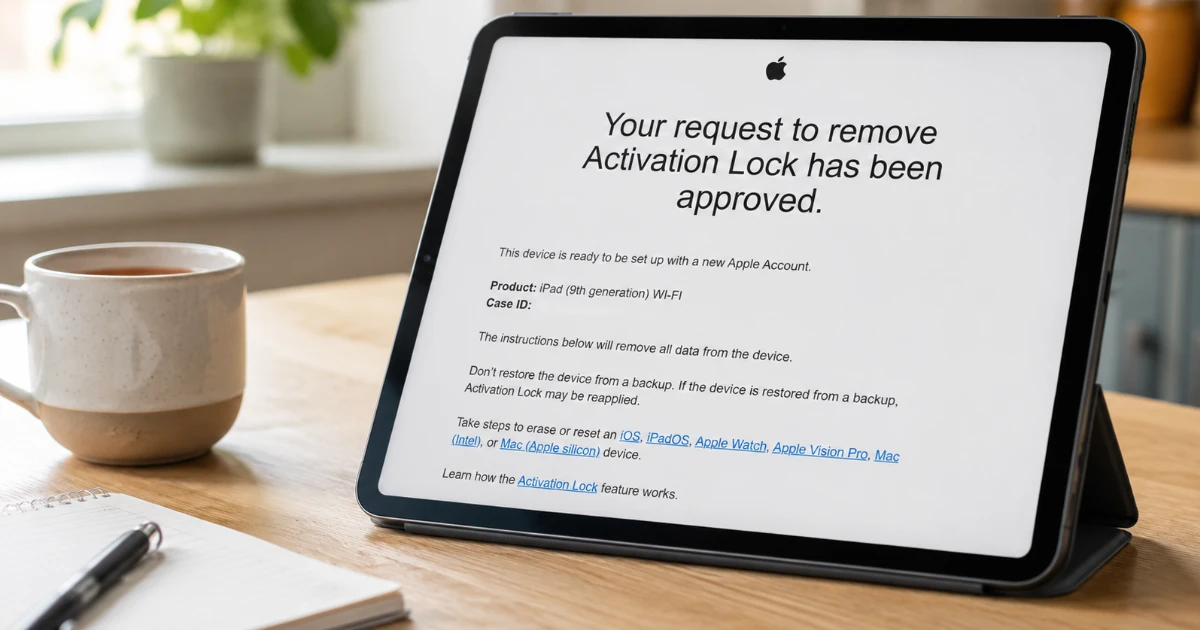
What if the phone is Activation Locked?
Apple devices have an additional security feature called Activation Lock, which can prevent an iPhone or iPad from being reused without the original owner's Apple Account details.
Apple has a specific procedure for dealing with devices belonging to someone who has died.
Where a Legacy Contact request or an account deletion request has been completed, Apple says Activation Lock is automatically removed. Apple may also be able to assist in other circumstances, subject to appropriate evidence and legal documentation.
But there's a crucial distinction.
Removing Activation Lock to reuse an iPhone is not the same as recovering the information stored on it.
Apple says that a passcode-locked device cannot be unlocked without erasing it. So before arranging for a device to be reset, establish whether there might be photographs or other information on it that haven't been backed up elsewhere.
I've covered the practical process in my separate guide: How to Remove Activation Lock from an iPhone or iPad.
Check before returning a phone to the provider
Ofcom also notes that mobile providers may occasionally require a handset to be returned when a deceased person's contract is closed, particularly if it's relatively new or valuable.
If the handset contains important information, raise that with the provider before sending it anywhere.
The safest starting point is to leave devices intact, keep them somewhere secure and establish what information they might contain before making changes.
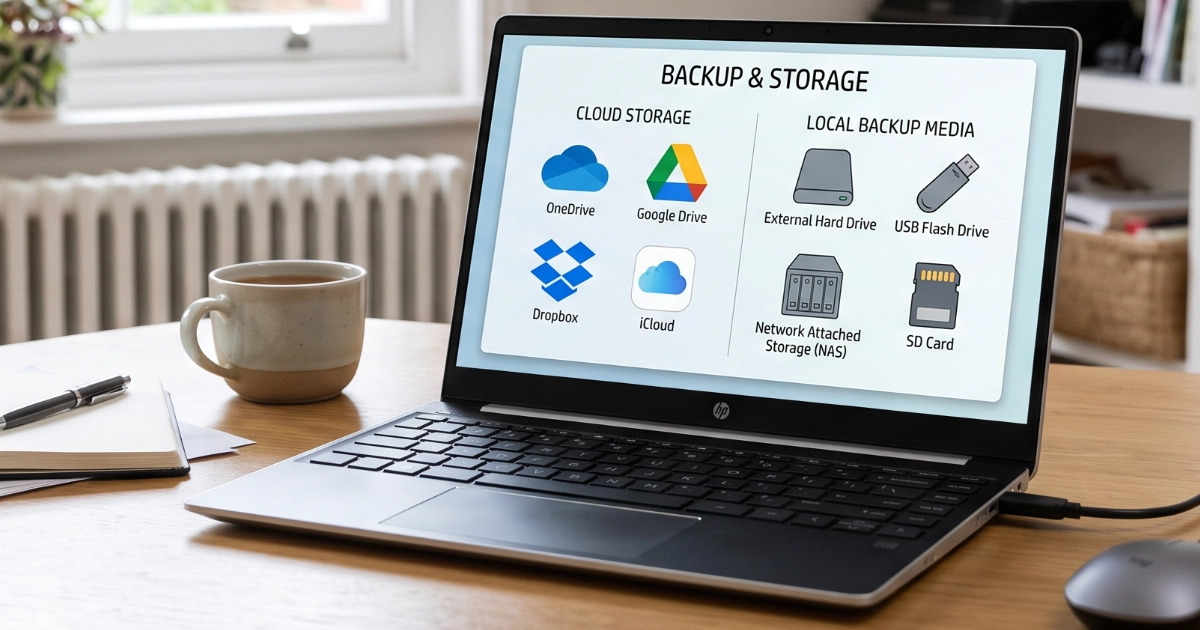
4. Check what happens to paid cloud storage
This is another problem that can catch families out.
Someone might have thousands of photographs stored in iCloud Photos or Google Photos without realising that they're paying a small monthly fee for the storage.
When a bank is notified of a death, accounts held solely in the deceased person's name will usually be frozen. Payment cards may also be cancelled.
If a cloud storage subscription is being paid from one of those accounts, future payments could fail.
That's significant because paid cloud storage often provides considerably more space than a free account.
For example:
- Apple provides 5 GB of free iCloud storage.
- Google provides 15 GB of free storage, shared across services including Gmail, Google Photos and Google Drive.
If a paid storage plan ends, the account may revert to its free storage allowance.
That doesn't mean all the existing photographs immediately disappear.
But if the account is already using more than its new allowance, new photographs may stop backing up, files may stop synchronising and email may be affected.
There can also be longer-term consequences if an account remains over its storage limit for an extended period.
The important thing is to identify any paid cloud storage before deciding what needs cancelling, and ask the provider what arrangements are possible.
I've explained how these storage allowances work in My Email Says My Storage Is Full. Do I Need to Pay?.
For families handling an estate, preserving existing information and avoiding unnecessary loss of access should come before tidying up subscriptions.
5. Being next of kin doesn't automatically give you access to everything
This is where the practical and legal sides of digital belongings meet.
It's important to distinguish between owning someone's physical computer and having permission to access their online accounts.
An executor or administrator may have responsibility for dealing with the deceased person's estate, but that doesn't automatically override a service provider's security requirements or account terms.
Under the UK's Computer Misuse Act, knowingly gaining unauthorised access to computer material can be an offence.
And although the ICO confirms that UK GDPR doesn't apply to information relating solely to someone who has died, other legal obligations, confidentiality and the privacy of living people can still matter.
In practice, providers have different procedures for dealing with bereavement. Some may request a death certificate, proof of authority or additional legal documentation.
Where account access is needed, it's sensible to establish who is authorised to deal with the estate and use the provider's official process rather than attempting to bypass security.
This doesn't mean every family needs a solicitor simply to deal with a laptop or recover some photographs.
It means that having possession of a device, knowing a password and having legal authority to access an account are not necessarily the same thing.
6. What about Apple, Google, Microsoft and Facebook?
There's no single process covering every online account.
Apple (iCloud)
Apple allows users to nominate a Legacy Contact, who can request access to certain information after their death using an access key and death certificate.
That information may include photographs, messages, notes, files and backups.
However, Apple's Legacy Contact feature doesn't provide access to everything.
Passwords and passkeys stored in iCloud Keychain, payment details, purchased music, films, books and subscriptions are excluded.
Without a Legacy Contact, recovering information can be more complicated and may require formal legal documentation.
Apple explains the process in its guidance on requesting access to a deceased family member's Apple Account.
Google (Gmail, Google Photos and Google Drive)
Google has an Inactive Account Manager feature that allows people to plan what should happen to their information if their account becomes inactive.
Where someone has died without making arrangements, family members or representatives can submit a request.
Google may release certain information after reviewing the circumstances, but doesn't provide account passwords.
Importantly, Google warns that once a deceased person's account has been closed, it cannot subsequently process a request for the account's contents.
That's a good reason to establish what information may be needed before requesting deletion.
Microsoft (Outlook.com and OneDrive)
Microsoft offers a OneDrive Digital Legacy feature that allows someone to nominate a trusted contact who can receive read-only access to files and photographs.
This applies specifically to OneDrive, not to Outlook email or the entire Microsoft account.
Without Digital Legacy already set up, Microsoft's position is quite firm: for privacy and legal reasons, it is generally unable to provide account information to anyone other than the account holder.
There are formal legal routes through which a request may be considered, but there's no guarantee that Microsoft will release any information.
Microsoft explains this in its guidance on accessing Outlook.com, OneDrive and other Microsoft services after someone has died.
Facebook allows accounts to be memorialised, providing a place where friends and family can remember someone.
A nominated Legacy Contact can manage certain aspects of a memorialised profile, but cannot simply log into the account or read private messages. Facebook explains what a Legacy Contact can and cannot do.
Before requesting memorialisation or deletion, consider whether there are photographs or other memories that need preserving through the appropriate process.
Some online accounts have time limits
There's another reason not to leave things indefinitely.
Microsoft says that Outlook.com and OneDrive accounts are frozen after one year of inactivity, with stored emails and OneDrive files deleted shortly afterwards. The Microsoft account itself expires after two years of inactivity.
That includes personal Microsoft accounts associated with familiar email services such as Hotmail and Outlook.com.
Google also has an inactivity policy. It reserves the right to delete a personal Google Account, including its data, after at least two years of inactivity, although some exceptions apply.
These aren't deadlines that begin on the day someone dies. They depend on account activity and the provider's particular rules.
But they do mean that an old Hotmail mailbox or Google Photos library shouldn't simply be left untouched for years on the assumption that everything will remain safely stored forever.
Where information matters, the sensible approach is to investigate the provider's bereavement and data-preservation procedures sooner rather than later.
You can read the official policies in Microsoft's bereavement guidance and Google's Inactive Account Policy.
7. Make a simple inventory before closing anything
You don't need to tackle every digital account at once.
Start by identifying the person's devices, phone provider, main email address and any cloud storage services they used.
Then make a list of accounts that might need attention, particularly those associated with photographs, subscriptions, financial records or business activities.
Keep track of which organisations have been contacted, what documentation they've requested and whether any information still needs preserving.
A simple starting checklist is:
Before closing anything: a family checklist
Work with the person authorised to deal with the estate. Keep devices intact and follow each provider's official process.
Keep a separate note of who you contacted, what they requested and what still needs preserving. Don't write passwords or recovery codes on this checklist.
Marple Tech Help · marpletech.co.uk/help-hub/digital-belongings-after-someone-dies/
The UK government's Tell Us Once service helps notify government departments after a death, but it doesn't take care of private online accounts, mobile contracts or personal digital files.
Tell Us Once is available when the person who died was living in England, Scotland or Wales. Different arrangements apply in Northern Ireland.
Some services will ultimately need closing. Others may contain important records or irreplaceable memories.
The important thing is to preserve what matters before removing access to it.
8. A little preparation now can make things much easier for your family later
Most of us have photographs, accounts and digital possessions that our families would struggle to locate or access if something happened to us.
A few simple preparations can make a real difference:
- Nominate an Apple Legacy Contact if you use iCloud.
- Set up Google's Inactive Account Manager if you use Google services.
- Consider Microsoft's OneDrive Digital Legacy feature if you store important files there.
- Make a secure inventory of your important accounts and where recovery information is held.
- Ensure that someone you trust knows where to find your digital instructions.
- Keep an independent backup of irreplaceable photographs and documents.
You don't need to share all your passwords with your family or give anyone unrestricted access to your accounts while you're alive. Treat a OneDrive Digital Legacy access code as sensitive: someone with the accepted invitation and code can request access after a 72-hour wait, so decide carefully when and how it should be made available.
It's about making sensible, secure arrangements so that the right people can deal with your digital belongings when the time comes.
My Digital Legacy planning service and free Legacy File tool can also help you organise instructions for your own family.
I've covered this in more detail in Your Digital Afterlife: What Happens to Your Photos, Passwords and Accounts If Something Happens to You?.
A final thought
Losing someone is difficult enough without discovering that years of family photographs are inaccessible, or that an important account can't be recovered because a phone number was cancelled too soon.
There isn't always a way to retrieve everything, particularly where devices are encrypted or online accounts have already been deleted.
But taking a little time before cancelling, resetting or deleting anything can make a real difference.
Need help working out what to preserve?
I can help families assess phones and computers, preserve accessible photographs and documents, and establish where important digital files may be stored.
I can't bypass encryption or account security, but I can help you work through the legitimate options without unnecessarily putting important information at risk. We can start with what matters most to your family.
I’m based in Marple and cover Stockport, SK6 and the surrounding area.
Provider guidance checked on 26 October 2026. Requirements and policies can change; use the official links below for current instructions.
Useful official guidance
- Ofcom: Notifying a phone or broadband provider of a customer's death
- Apple: Request access to a deceased family member's Apple Account
- Apple: How to add a Legacy Contact
- Google: Request regarding a deceased user's account
- Google: Inactive Account Policy
- Microsoft: OneDrive Digital Legacy
- Microsoft: Accessing services when someone has died
- MoneyHelper: Managing finances after a partner dies
- GOV.UK: What to do after someone dies
This article provides general practical information, not individual legal advice. Account access, estate administration and providers' requirements depend on the circumstances.