Old Photo CDs and DVDs Aren't a Permanent Backup
If your family photos, documents or home videos exist only on an old CD or DVD, now would be a very good time to copy them somewhere else.
I've had a fairly stark reminder of this recently.
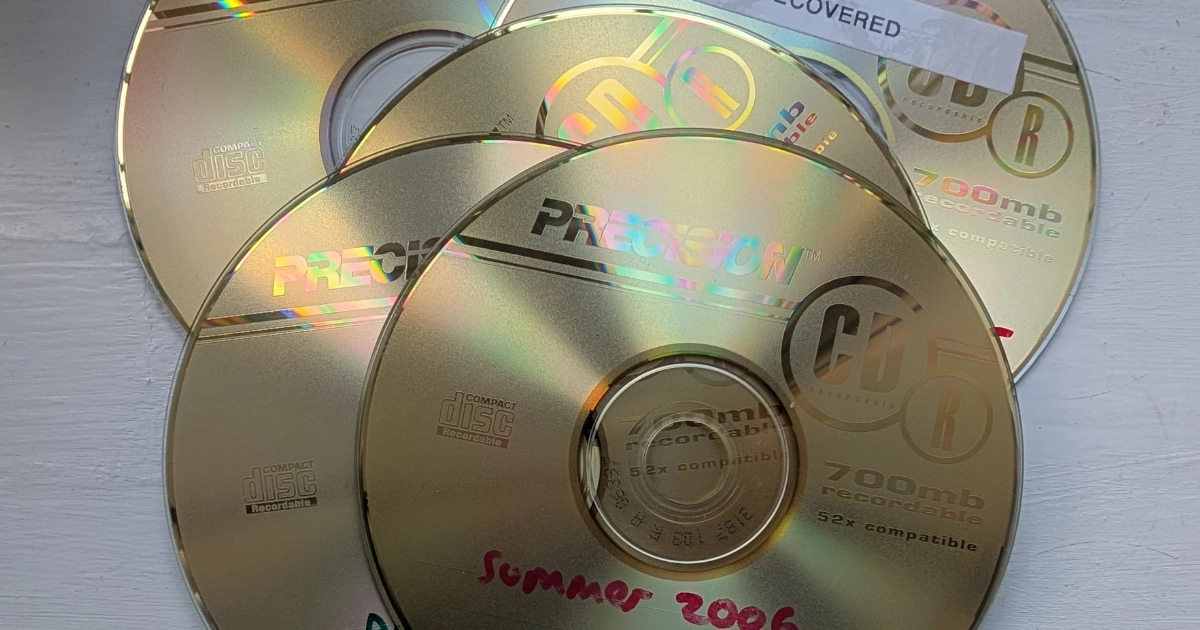
I've been working on five recordable CDs dating from around 2005 or 2006. They contain photographs that were probably considered safely backed up at the time.
Twenty years later, getting those photographs back has been another matter.
I've tried the discs in four different optical drives, because sometimes one drive can read a disc that another struggles with.
From one CD, after around five hours of recovery work, I managed to retrieve 72 photographs.
Another was much worse. After approximately 16 hours of attempted recovery, not a single complete photograph had been recovered. Around 40 files had been partially reconstructed, but none was usable.
Meanwhile, other CDs from roughly the same period still work perfectly.
And there was another interesting detail: all five troublesome discs are the same brand.
That doesn't prove there was anything inherently wrong with that brand. They may have come from the same manufacturing batch, been written on the same equipment or spent twenty years stored under the same conditions.
But it shows why relying on one group of optical discs as an archive is risky.
The short version
The lesson isn't that CDs suddenly fail after twenty years. It's that you don't know which ones will fail, or when. Copy them while they still read normally.
- Weren't CDs supposed to last for decades?
- What about "disc rot"?
- Why trying another CD or DVD drive can help
- Sometimes the disc isn't damaged at all
- The drives are disappearing too
- So should I throw my old CDs and DVDs away?
- What should I do with old photo CDs and DVDs?
- A USB stick isn't a permanent archive either
- Your old disc checklist
- The best time to copy an old disc is while it still works
Weren't CDs supposed to last for decades?
Potentially, yes.
A good-quality recordable optical disc, written correctly and stored under suitable conditions, can remain readable for a very long time.
But there is no particularly useful answer to "How long does a CD last?"
Different discs use different materials and manufacturing processes. Their lifespan can also be affected by recording quality, temperature, humidity, light, scratches and handling.
Recordable discs also differ from commercially manufactured music CDs or software discs. A CD-R contains a recording layer whose properties are changed by the writing laser. If the materials deteriorate sufficiently, the stored data becomes harder for a drive to read reliably.
The Digital Preservation Coalition's Bit List classifies older portable optical media, including CDs and DVDs, as Critically Endangered.
That doesn't mean every old CD is about to fail.
It means leaving important information on an ageing disc and assuming it will remain readable indefinitely isn't a good preservation strategy.
What about "disc rot"?
You may have heard the term disc rot used to describe old CDs and DVDs becoming unreadable.
It's useful shorthand, but the causes can vary: deterioration of recording or reflective layers, physical damage, manufacturing problems, poor original recording quality or a combination of factors.
And there may be nothing visibly wrong with the disc.
The discs I've been working on don't look catastrophically damaged. Often, you only discover the problem when you try to read the files.
The National Archives uses the broader term bit rot or data decay for the gradual decay of digital content on physical storage media, including hard drives, CDs and DVDs.
Why trying another CD or DVD drive can help
A failing disc isn't necessarily completely unreadable.
Different optical drives vary in how well they cope with marginal or damaged media. That's why these CDs have been tested in four drives.
Specialist recovery software can also keep attempting difficult areas, work around unreadable sectors and recover whatever data remains accessible.
But there is an unavoidable limitation:
Recovery software can't recreate data that can no longer be read from the disc. It can try harder to retrieve it, but it can't invent missing parts of a photograph.
That's how a recovery attempt can run for hours and still produce JPEG files that are incomplete, corrupted or unusable.
Sometimes the disc isn't damaged at all
There's another issue with older optical media, particularly DVDs recorded in camcorders and DVD recorders.
Some discs needed to be finalised in the device that created them before they could be read normally elsewhere.
A disc that was never finalised may appear blank or unreadable even though the recording itself may still be present.
UK guidance for police and criminal-justice practitioners on handling digital images and multimedia puts it plainly: CD-R and DVD±R discs must be finalised or closed in the camera or writer before the disc is removed, otherwise the images may not be viewable on a computer.
If you still have the original camcorder or recorder, it may be possible to finalise the disc there. If not, the right drive and specialist software can sometimes read the recording anyway.
So an old disc that won't open isn't automatically a lost cause.
The drives are disappearing too
Even if your discs remain in perfect condition, you still need something capable of reading them.
Twenty years ago, optical drives were standard on most PCs and laptops. Today, many computers don't have one at all.
This is part of the preservation problem recognised by the Digital Preservation Coalition. Reader hardware can become unsupported while the media itself still survives.
The National Archives' digital preservation guidance includes keeping equipment capable of reading CDs, DVDs, floppy disks and other older media so their contents can be transferred elsewhere.
Preserving digital memories isn't only about keeping the disc safe. You also need to preserve the ability to get the data off it.
So should I throw my old CDs and DVDs away?
No.
If they contain anything important, I'd keep them.
Once you've copied the contents elsewhere, the original disc is still another potential source and takes up little space.
The problem isn't owning an old CD. The problem is allowing that CD to be the only copy.
What should I do with old photo CDs and DVDs?
- Start with the important ones. Don't wait until you've organised every disc in the house.
- Copy them while they still read normally. Recovery becomes much harder once errors appear.
- Check the files afterwards. Open some photographs, documents and videos and make sure they actually work.
- Make another copy. Important files shouldn't exist in only one place.
- Keep the original discs. Put them back somewhere safe after copying.
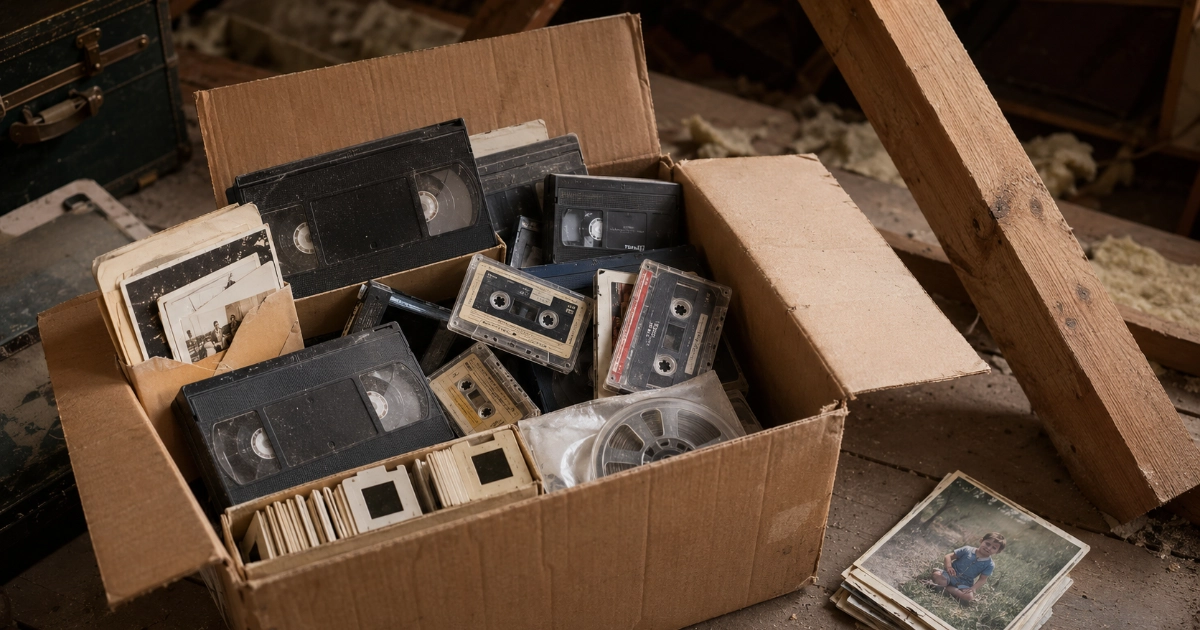
- Store discs sensibly. Keep them in proper cases somewhere cool, dry and dark, rather than loose in a drawer, loft or sunny windowsill. My guide to storing old tapes, cassettes, photos and slides covers the same ground for the rest of the box.
- Revisit your archive occasionally. Storage devices and services change. The same UK guidance for digital evidence notes that files on CDs and DVDs need transferring to new media regularly, possibly as often as every five years. For a home archive, the practical point is simpler: don't leave the only copy untouched for decades.
The National Archives recommends keeping at least two copies of important digital material in different places, and suggests an external solid-state drive rather than relying on CD-ROMs or USB sticks.
A USB stick isn't a permanent archive either
It's tempting to replace one simple rule with another:
"CDs aren't reliable forever, so I'll put everything on a USB stick."
That isn't the answer.
USB flash drives can fail too. They're also easy to lose, damage or accidentally overwrite.
The same UK digital imaging guidance describes USB sticks and memory cards as designed for short-term storage, and recommends moving anything important to more secure storage as soon as it is practical to do so.
External hard drives and SSDs can fail. Cloud accounts can be lost or closed. Online services can change.
There isn't one perfect permanent storage medium. The protection comes from not depending on one copy.
For genuinely irreplaceable photographs and family videos, the 3-2-1 backup principle is a useful target:
The 3-2-1 rule
Three copies of your data, on two different types of storage, with one copy kept somewhere else. For a family photo collection, that might mean a copy on your computer, another on an external drive and another in cloud storage.
If you want the wider version of this, including what happens to photos and accounts nobody else can get into, my guide to your digital afterlife covers it.
Your old disc checklist
Print this and work through the box a few discs at a time.
Old Disc Checklist
Sort first
- Discs gathered from drawers, lofts, wardrobes and old computer desks
- The irreplaceable ones picked out first: family photos and home videos
- Anything already known to be a second copy set aside for later
Copy and check
- Contents copied to the computer, one folder per disc
- Photos, documents and videos opened to check they actually work
- Any disc that struggles, clicks or stops part way noted for a second attempt
- Camcorder DVDs that appear blank checked for finalising rather than binned
Protect what you copied
- Second copy made on a different device or service
- One copy kept somewhere other than the house, cloud storage counts
- Original discs back in cases, somewhere cool, dry and dark
- A note in the diary to check the copies again next year
Aim for 3-2-1: three copies, on two types of storage, with one kept somewhere else.
The best time to copy an old disc is while it still works
That's the real lesson from the CDs I've been recovering.
In this particular set, hours of recovery work have sometimes produced only part of what was originally stored, and in one case so far, nothing usable at all.
There's no warning light on a CD telling you that it has another six months left.
So if you've got a wallet, spindle or box of old CDs and DVDs containing the only copies of family photographs or home videos, don't wait for the first one to fail.
Copy them, check the files and make another backup.
The same argument applies to the tapes, slides and negatives in the same cupboard, which I've written about in why now is the right time to digitise old family tapes.
Digital memories can last for generations, but only if we keep moving them forward with us.
Got a box of old discs you haven't looked at for years?
This is part of the work I do through Marple Memories. Photo and data discs are £5 per disc, and recorded video DVDs are £10 per tape or DVD. I copy what the discs still hold onto modern storage, check the files actually open, and organise them into folders that make sense.
Where a disc is already causing problems, I can attempt recovery using different drives and specialist software. That is always quoted before any work starts, because the time involved is unpredictable and no recovery method can guarantee that data from a badly deteriorated disc can still be retrieved. It is exactly why dealing with a collection before it starts to fail is so worthwhile.
Drop me a message and let me know roughly how many discs you have and what is on them. Everything stays local in Marple, and your original discs come back to you.
I’m based in Marple and cover Stockport, SK6 and the surrounding area.